
Say goodbye to Nashorn
The Nashorn script engine was supported in Sitevision Script modules between 2015 and 2019. In the upcoming 2027.01.1 version, Nashorn will be removed from Sitevision, and legacy Script modules that rely on it will stop working. To ensure continued functionality, all legacy Script modules based on Nashorn must be migrated to the Rhino engine. Websites created before Sitevision 5.0.1 (released 2019-06-20) may be affected.
Published: 2026-08-13 | Updated: 2026-10-06

TL;DR
The legacy Nashorn script engine will be removed very soon, in version 2027.01.1. You need to act now to ensure continued functionality. All old Script modules on your website that uses Nashorn must be updated to use the Rhino engine instead. Best way to locate all such modules is to use the "Module control" Marketplace widget.
This article has been updated to reflect that we have postponed the removal of Nashorn from 2026.11.1 to 2027.01.1.
The 2027.01.1 release will enter test environments in Sitevision Cloud in January 2027 and will be released to production in February.
Also read the next article on this topic for further information about the phase-out process.
What was Nashorn?
Nashorn was a JavaScript engine developed for the Java platform, introduced in Java 8 as a core part of the runtime. It allowed developers to run JavaScript code directly on the JVM, with tight interoperability between Java and JavaScript. This made it possible to call Java classes from JavaScript and vice versa with relatively low friction. Nashorn supported ECMAScript-262 5.1 and included some partial support for newer language features over time. A key use case was scripting within Java applications, such as configuration, automation, or embedding lightweight logic.
In short - Nashorn was the core Java built-in alternative to use for JavaScript execution, instead of using the opensource Rhino JavaScript engine that required configuration and additions to the Java runtime to embed.
However, Nashorn was deprecated in Java 11 External link. and removed in Java 15 External link.. The main reason was the growing complexity of keeping up with modern JavaScript standards and the availability of more actively maintained alternatives like GraalVM’s JavaScript engine.
Nashorn in Sitevision
Nashorn was introduced in Sitevision 4 (2015-05-25) as a selectable runtime engine for the Sitevision Script module. However it was, as mentioned above, a bit of a dead end and Script modules again turned towards Rhino. Nashorn was deprecated in Sitevision 4.5.3 and no longer a selectable engine in new Script modules as of Sitevision 5.0.1 (2019-06-20).
If your site was created before Sitevision 5.0.1 there is a chance you still have Script modules depending on Nashorn.
These legacy Nashorn Script modules are about to stop running and you need to take action - now - to prevent this.
What to do?
The very first thing to do it to locate all Nashorn-based Script modules. Next step is to ensure they use the Rhino script engine instead.
Note that a Script module is typically present as a standalone module on a page or template BUT it can also be an embedded part of an Element-based module on a page or template!
STEP 1: Locate Nashorn-based Script modules
There are multiple ways to locate all Nashorn Script modules of a site.
Server log
The server log can give a hint about their location since a WARN is logged whenever a Nashorn-based Script module is rendered.
The caveat with the logging approach is that it only logs Nashorn Script modules that are actually rendered. The site can contain other modules, that is almost never rendered.
Edit/offline index
The edit/offline index in the Sitevision UI contains data about Nashorn modules.
Activate the edit search by clicking the Search button in the sidebar. Enter the designated query specified above to get the result:
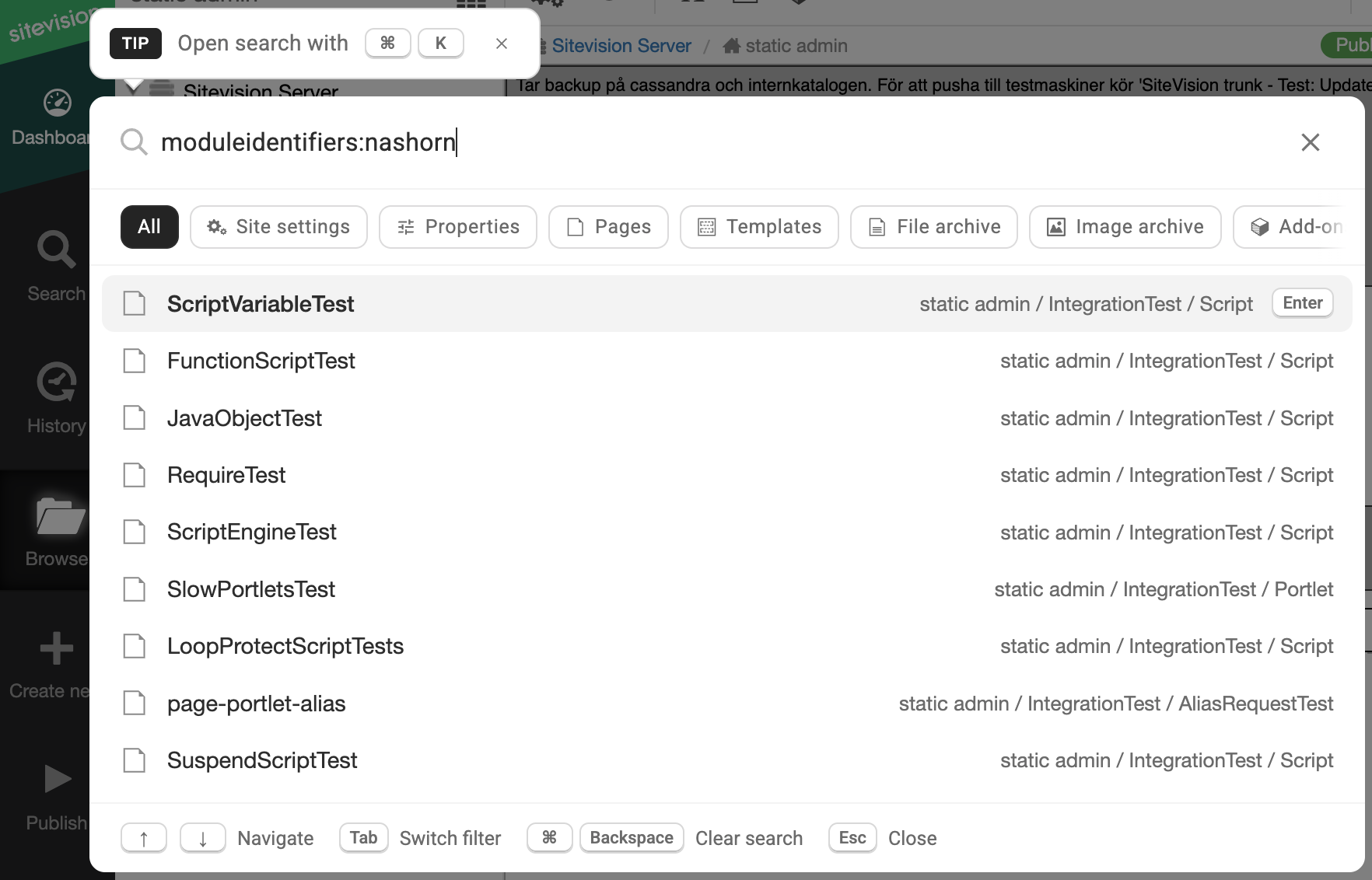
Sitevision 2026.08.1 edit UI example that shows how to query all pages that contains a Nashorn Script module
Note that the search UI in Sitevision prior to the 2026.08.1 version is slightly different:
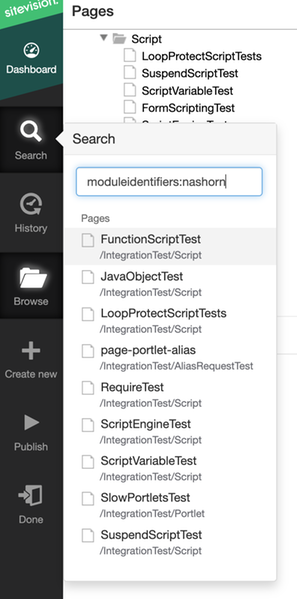
Pre Sitevision 2026.08.1 edit UI example that shows how to query all pages that contains a Nashorn Script module
The caveat with the edit/offline index approach is that only pages that the current user is allowed to access will show up in the search result.
Module Control Widget
The Marketplace Widget "Module control" External link. ("Modulkontroll" in Swedish) can be used to locate all pages that has a Nashorn Script module. Navigate to the Marketplace view in the edit UI to find and install the Marketplace widget.
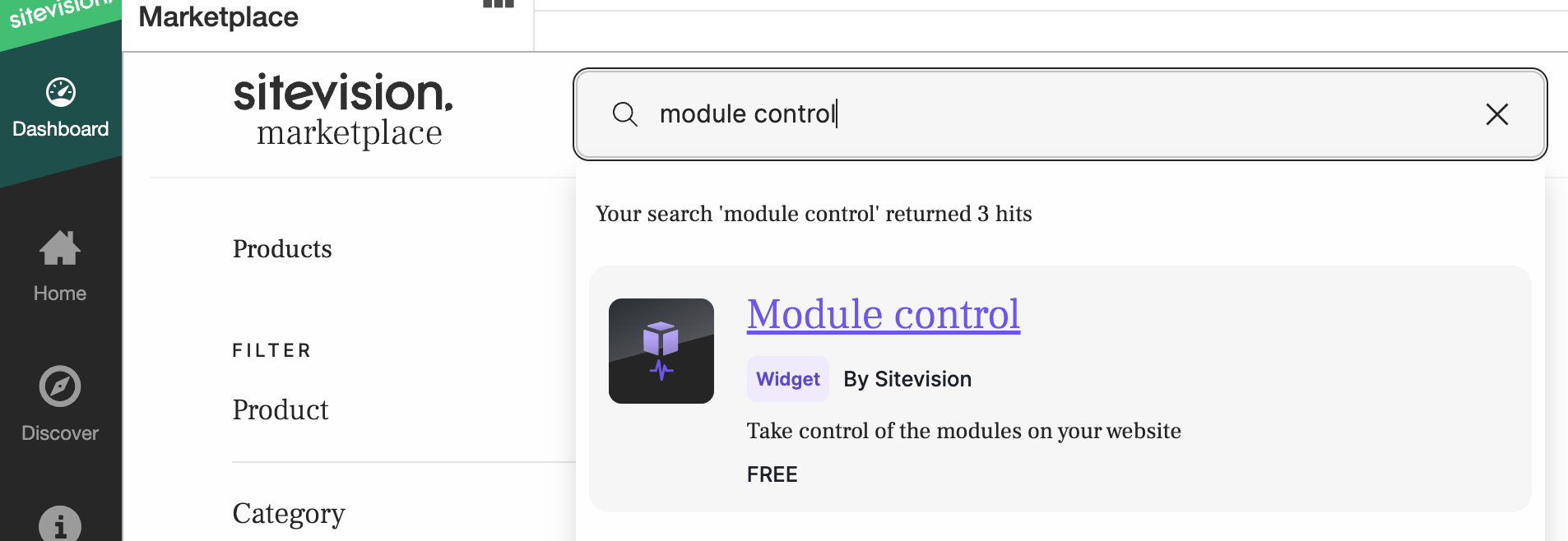
Find the Module Control Widget in Marketplace
When the Widget is installed, add it to a site Dashboard and perhaps also to a page Dashboard.
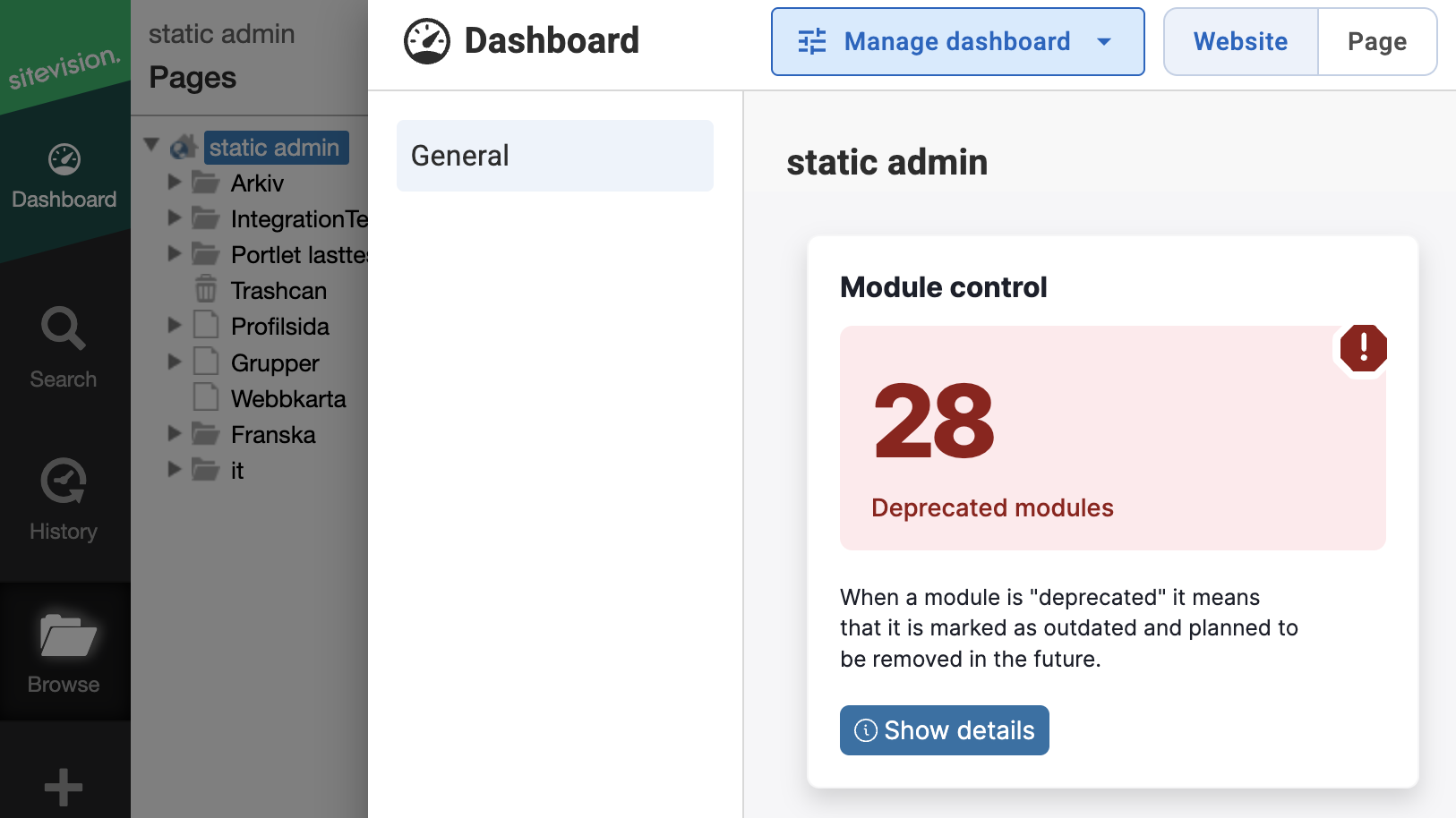
Example of the Module control Widget on a site dashboard
The Module Control on the site Dashboard will show all pages where a Nashorn Script module resides. There are two potential entries in the deprecated modules list:
- Script module (Nashorn)
- Element (Nashorn)
The first entry depicts a Script module on a page. The latter depicts an Element (that contains a Script module) on a page
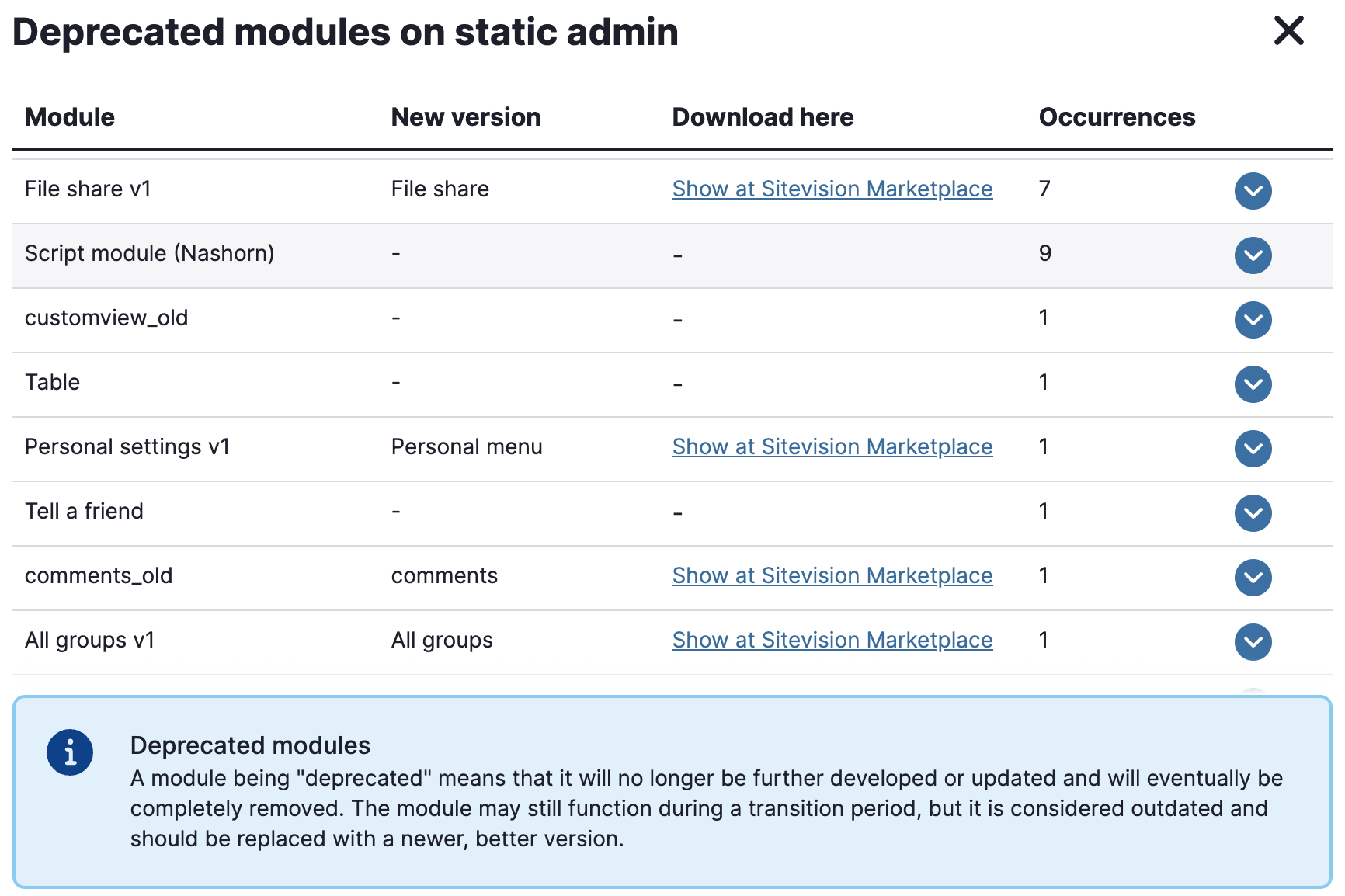
Module control Widget example showing Script modules containing Nashorn
Click on the Nashorn entry to expand a list of pages where the Nashorn-nased Script module (or Element) resides:
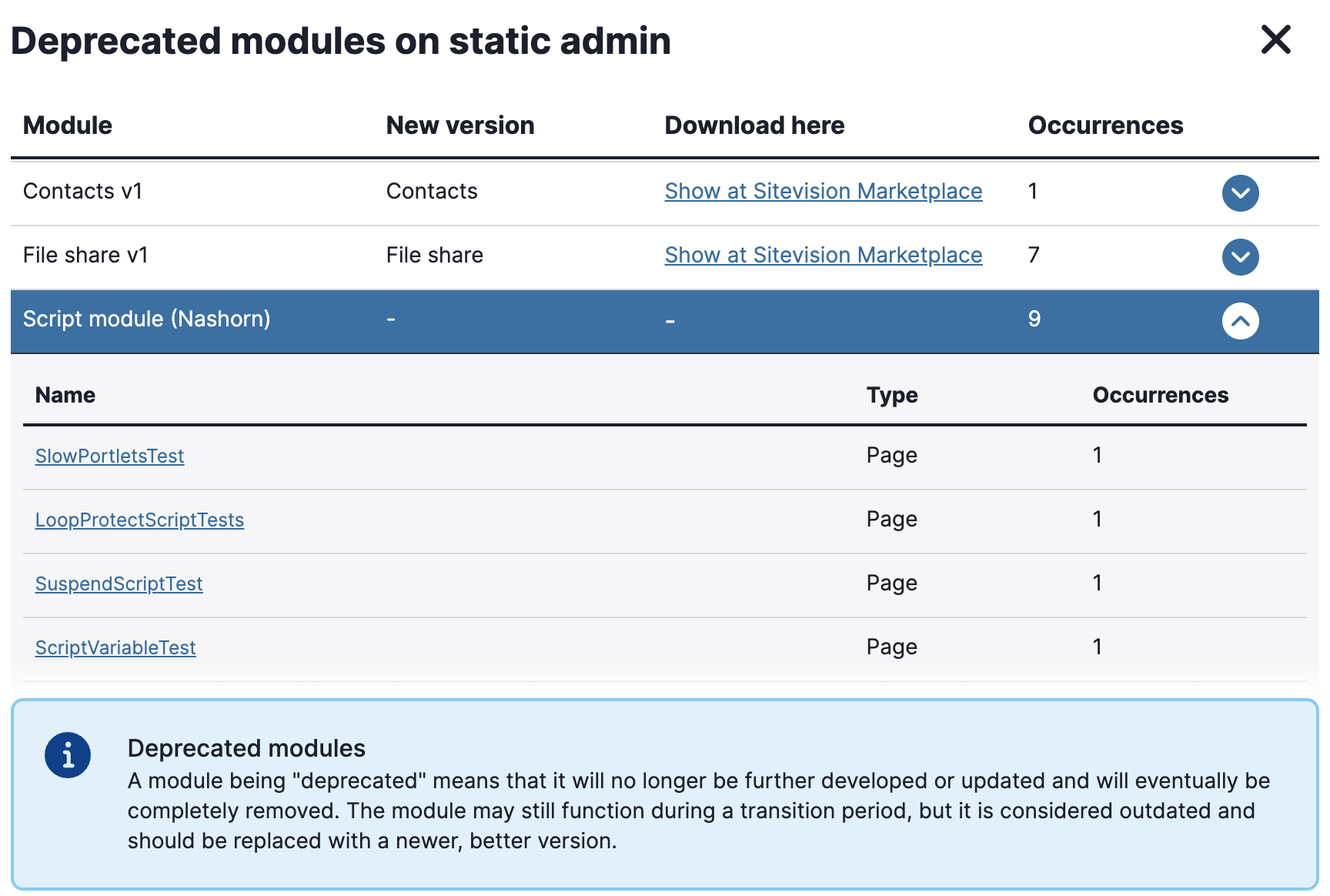
Module control widget example listing pages with Script modules containing Nashorn
STEP 2: Ensure that Script modules use Rhino instead
When you have located a Nashorn Script module, you need to fix it. When all Nashorn Script modules on the page is fixed, you must re-publish the page to ensure that both offline and online version (edit version and published version) of the page uses Rhino.
Since Script modules using Nashorn by nature are fairly old, they were created before the Sitevision Scripting Sandbox was introduced. This means that beside having to migrate the code from Nashorn to Rhino you also need to make sure the new version of the script adheres to the Sandbox rules.
To fix the module, you edit the module (double-click on the module). A warning dialog appears that informs that editing the module will change the engine from Nashorn to a sandboxed Rhino engine.
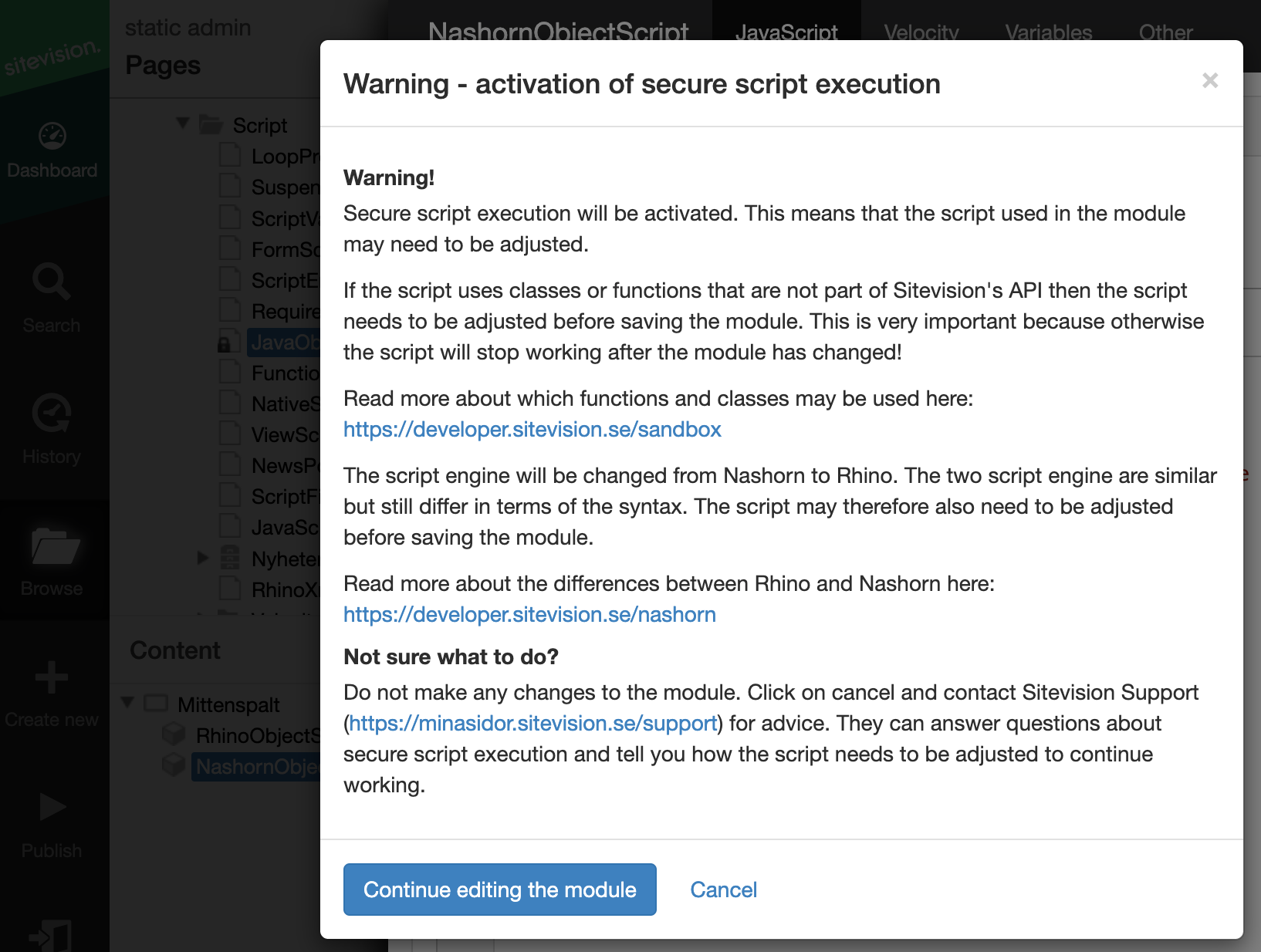
The dialog when double-clicking a Nashorn Script module
Select the Continue button and (potentially) adjust the script code in the module. When the script executes as expected, re-publish the page to ensure Script module uses Rhino in both offline and online version.
Note that the Module control widget uses the edit/offline index. Since all indexes are eventual consistency, it might take a while before an "already fixed" page disappears from the list of pages that needs to be fixed.